An invalid IBAN on an invoice means the account number fails standard format or checksum rules, and most banks will reject or delay the payment rather than risk sending funds into the void. A passing checksum still does not confirm the account is open or belongs to your supplier, so the right move is simple: hold the payment and verify the IBAN before you send anything.
TL;DR:
- Normalize the number, check country length in the SWIFT registry, then run the modulo 97 checksum; a remainder of one confirms structure, not ownership or activity.
- Request the corrected IBAN from a bank statement or verified supplier portal, and contact the supplier through details already on file, not the invoice.
- For remittance errors, report within 180 days; providers must investigate within 90 days and give results within three business days after completing the review.
- AP teams should verify supplier bank details at onboarding and validate bulk payment files before submission, rather than correcting errors after a rejected batch.
- Automated cXML or EDI rejections may stem from a missing IBAN field; confirm the required field is mapped correctly before resubmitting.
Table of Contents
- 1. Common causes of an invalid IBAN on an invoice
- 2. How to check an IBAN's format yourself
- 3. Country-specific IBAN length and format rules to watch for
- 4. If an invoice shows an invalid IBAN, here's what to do now
- 5. How AP teams prevent invalid IBANs from reaching invoices
- 6. How real-time payee verification extends basic IBAN checks
- 7. Why IBAN verification deserves a permanent seat in the payment workflow
- How Vopify helps when an invoice shows an invalid IBAN
- FAQ
- Sources
- Primary sources and standards
1. Common causes of an invalid IBAN on an invoice
Most invalid IBANs trace back to a handful of predictable mistakes, and knowing which one you are dealing with determines how fast you can fix it. A typo is a five-minute fix. A systemic data problem in your supplier's ERP is not.
The most frequent culprits include:
- Transposed digits, missing characters, or extra characters typed by hand from a PDF or email signature
- A wrong or swapped country code, or check digits that do not match the rest of the number
- Stray spaces, dashes, or punctuation left in the field when the IBAN is pasted into a payment portal
- Incorrect master data sitting in the supplier's ERP, or a missing IBAN element in an automated invoice payload
- An account that is closed, blocked, or dormant but still passes checksum because the structure itself is intact
That last one catches a lot of AP teams off guard. A dormant account can carry a perfectly valid-looking IBAN, and no format check will tell you it is no longer active. Automated invoicing adds its own failure mode. When invoices move through cXML or EDI pipelines rather than PDFs, a missing or mis-tagged IBAN field can trigger an outright rejection before a human ever sees the document. SAP Ariba's support documentation describes error INV-332, where an invoice is rejected because the required bank account details, including the IBAN, are missing from the payload. The fix usually means the supplier's system failed to include the IdReference domain="ibanID" element that the buyer's platform expects.
International edge cases add another layer of confusion. Not every country uses IBAN at all, and a routing number or domestic account format from a non-IBAN country can get mistakenly entered into an IBAN field, producing a string that looks plausible but fails every structural check.
2. How to check an IBAN's format yourself
Before you call anyone, run the number through a quick manual check. It takes less than a minute and rules out the easiest problems first.
- Normalize the string. Strip out spaces, dashes, and punctuation, and convert all letters to uppercase. A copy-paste from a PDF often drags in invisible characters that break validation.
- Check the country code and length. The first two letters identify the country, and each country has a fixed total length. Compare the number against the SWIFT IBAN Registry, which publishes the ISO 13616 technical specification for every participating country.
- Run the MOD-97 checksum. Move the first four characters (the country code and check digits) to the end of the string, convert any letters to numbers using the standard A=10 through Z=35 scheme, then divide the resulting number by 97. A remainder of 1 means the IBAN passes the structural check. Any other remainder means something in the string is wrong.
- Interpret the failure. A checksum failure usually means a digit was mistyped. A length mismatch against the country's expected format usually means a character was dropped or added. Invalid characters, like letters where only digits belong in the BBAN, point to a transcription error rather than a single typo.
Pro Tip: Run the check twice, once on the IBAN as it appears on the invoice and once on the version from the supplier's last confirmed bank statement. A mismatch between the two tells you exactly where the error entered the process.
Free online syntax validators can do steps one through four automatically, and they are fine for a quick sanity check. What they cannot tell you is whether the account actually exists, whether it is open, or whether it belongs to the business you think you are paying. That gap is exactly where real-time verification picks up, and we cover that in a later section.
3. Country-specific IBAN length and format rules to watch for
IBAN length is not universal. Each participating country has a fixed total length and a defined BBAN layout, and the SWIFT IBAN Registry is the authoritative place to confirm both. An IBAN that is one character short or one character long for its country will fail validation even if every digit is individually correct.
A few patterns show up repeatedly on invoices:
- Leading zeros dropped from a national account number when it was converted into IBAN format
- A domestic account number pasted directly into an IBAN field without the country prefix or check digits added
- An invoice listing a routing number or sort code in the IBAN field because the supplier operates in a country that does not use IBAN at all
- A truncated IBAN where the last few digits were cut off during a copy-paste or a field-length limit in the invoicing software
The last point matters more than it sounds. If a supplier operates in a country outside the IBAN system, there is no IBAN to validate in the first place, and any string presented as one should be treated as suspect rather than assumed correct just because it has the right number of characters.
4. If an invoice shows an invalid IBAN, here's what to do now
Catching the error before payment goes out is the best outcome, and it is entirely preventable with the right sequence of steps.
- Do not send the payment. Hold the transaction until the IBAN is confirmed, even if it delays the invoice by a day or two.
- Contact the supplier directly, using a phone number or email address you already have on file, not the contact details printed on the invoice itself. Ask for confirmation of the correct IBAN and a corrected invoice.
- Request the IBAN exactly as it appears on the supplier's own bank statement or verified supplier portal, rather than asking someone to retype it from memory. Hand transcription is where many errors start.
- Fix the electronic payload if the issue is automated. For cXML or EDI invoices rejected with an error like SAP Ariba's INV-332, confirm the IdReference domain="ibanID" element is present and correctly mapped before resubmitting.
- If payment has already gone out, contact your bank or payment provider immediately. Time matters here.
The CFPB rule on this is specific: you have 180 days from the date funds were made available to report a remittance error, and once you do, the provider must investigate and determine whether an error occurred within 90 days, then tell you the result within three business days of finishing. That window gives you real leverage, but it is not unlimited, so report a suspected error as soon as you spot it rather than waiting to see if it resolves on its own.
One expectation to set correctly: if the error happened because you or your supplier supplied the wrong account information, and your provider used reasonably available means to verify the recipient institution, the bank is not necessarily obligated to refund or resend the money. Responsible providers generally will not release funds at all when recipient information does not match, which is a safeguard, but it is not a guarantee that a mismatched payment gets fixed for free.
5. How AP teams prevent invalid IBANs from reaching invoices
The invoice itself is the wrong place to validate an IBAN for the first time. By the time a payment run is staring at a rejected transaction, the error has already cost time. The fix is to push verification earlier in the process, into supplier master data, where it belongs.
A few controls make the biggest difference:
- Treat the supplier's IBAN as master data that gets verified once during onboarding, not retyped or re-trusted from every invoice that comes in
- Run syntax and, where possible, name-matching checks automatically during supplier onboarding rather than relying on a human glance
- Validate bulk payment files, such as pain.001 batches, before submission, checking checksum and country length across every line to catch errors before they become failed batches
- Document a simple standard operating procedure: supplier confirmation through a verified channel, a digital supplier portal for bank detail changes, and two-person approval on any cross-border payment above a set threshold
Pro Tip: Run bulk verification before a payment run, not after a rejection. Catching ten bad IBANs in a pre-flight check costs minutes; catching them after a failed batch costs a full reconciliation cycle.
Single lookups make sense for one-off high-value payments or new supplier setups. Bulk checks make more sense when onboarding a new supplier list or refreshing master data across hundreds of accounts at once, since running them one at a time at that volume defeats the purpose of automation.
Document and identity verification during supplier onboarding deserves its own mention here. Workflows that capture government ID and biometric matching alongside bank details, the kind BeeSign describes for financial services verification, add a layer of identity confidence that pairs naturally with IBAN checks, especially for new vendors you have never paid before.
6. How real-time payee verification extends basic IBAN checks
A syntax check and a checksum tell you the IBAN is structurally sound. They do not tell you who owns the account or whether it is still open. That distinction is exactly what real-time payee verification is built to close: a live check against payment networks that confirms whether a given name actually matches a given IBAN, rather than just confirming the number is well formed.

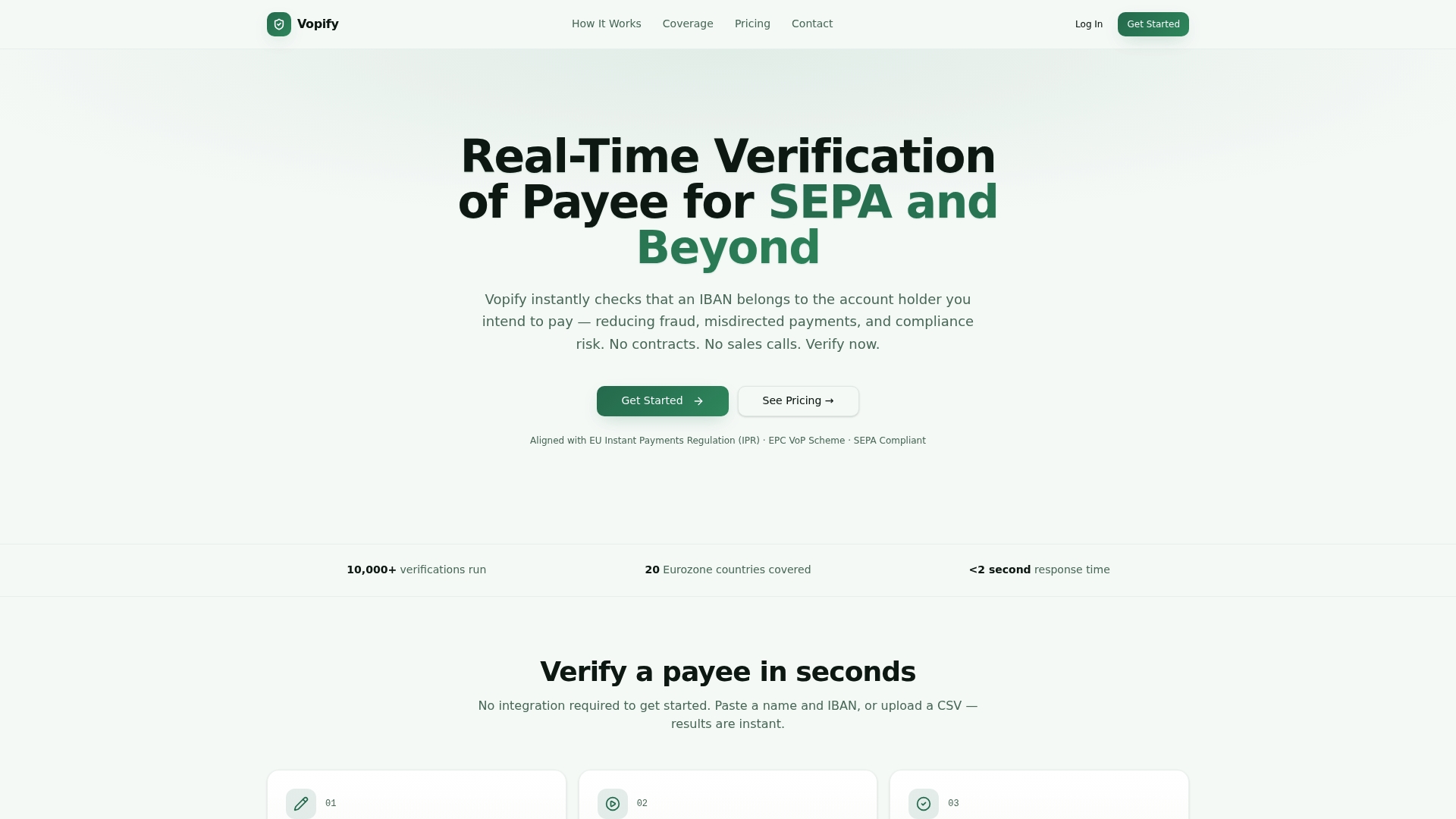
We built Vopify around that exact gap. A single lookup returns a name-to-IBAN match quickly, and bulk CSV upload handles supplier lists in one pass rather than one lookup at a time. Coverage spans SEPA countries across the Eurozone along with additional countries, and results come back through a dashboard that finance teams can act on immediately.
The practical use cases line up with where errors actually happen: supplier onboarding, any high-value single payment where a mistake would be expensive, and bulk payment pre-flight checks before a run goes out the door. Coverage and response times vary by scheme and country, so it is worth treating verification as one strong signal, not an absolute guarantee, particularly for newer or less common payment corridors. It complements the structural checks in the sections above; it does not replace good supplier onboarding practices.
7. Why IBAN verification deserves a permanent seat in the payment workflow
Most AP teams treat IBAN problems as one-off annoyances: a bounced payment, an annoyed supplier, a scramble to reissue. That framing misses the real issue. An invalid IBAN is rarely a one-time glitch; it is a signal that supplier master data was never verified in the first place, and it will happen again with the next invoice from the same source.
The teams that stop seeing repeat failures are the ones who move verification upstream, into onboarding, instead of treating every invoice as a fresh trust exercise. The payoff shows up as fewer rejected payments, less rework chasing corrected bank details, and payment runs that complete on schedule instead of stalling on one bad line.
— David
How Vopify helps when an invoice shows an invalid IBAN
Catching an invalid IBAN after a payment run has already failed costs your team hours of reconciliation work. We built our verification tools to catch the problem before the money moves, with a single name-and-IBAN check or a full supplier list run through bulk upload.
What that looks like in practice:
- Single Lookup confirms one supplier's name and IBAN in real time, useful right before you release a high-value or first-time payment
- Bulk IBAN Verification runs an entire supplier CSV through the same name-matching check in one pass, built for onboarding refreshes or quarterly master-data cleanups
- Payee Verification results land in a dashboard your finance team can review and act on without waiting on a platform contract or integration project
You buy verification as you need it, whether that is a handful of checks before a payment run or a recurring plan for ongoing supplier onboarding, and results come back without the setup delay that typically comes with traditional verification contracts. If your accounts payable process keeps catching invalid IBANs after the fact, explore Vopify's payee verification options and see how a check before payment compares to a correction after one.
FAQ
What does "IBAN no" mean?
"IBAN no" generally refers to the IBAN number field itself, often abbreviated this way on forms and invoices in regions where "no." stands for "number." It is simply asking for the account's International Bank Account Number, not indicating any kind of error on its own.
What is an invalid bank account number?
An invalid bank account number, including an invalid IBAN, is one that fails structural rules: wrong length for its country, incorrect check digits, or characters that do not belong in that position. A number can fail checksum validation and still look plausible at a glance, which is why running an actual check matters before paying it.
What should I do if I sent money to the wrong IBAN?
Contact your bank or remittance provider immediately, since federal remittance rules give you 180 days from the date funds were made available to report the error, and the provider must investigate within 90 days of your notice. If the recipient's information did not match what you provided, most providers will not release the funds, so report the mismatch and request correction right away.
How do I verify an IBAN account?
Start with a syntax and MOD-97 checksum check to confirm the IBAN is structurally valid for its country, using the SWIFT IBAN Registry to confirm expected length. For confirmation that the account is open and belongs to the right person or business, a real-time name-to-IBAN verification check goes further than a structural check alone.
Sources
- How do I notify the remittance transfer provider about a mistake with my money transfer? | Consumer Financial Protection Bureau
- International Bank Account Number (IBAN) | Swift
- Invoice Rejected with Error INV-332 Required bank account details are missing: Account # Bank ID IBAN.