
Yes, business email compromise routinely diverts legitimate payments to fraudulent accounts, and it's one of the costliest forms of cybercrime hitting company bank accounts today. If a payment instruction or vendor banking detail changes unexpectedly, treat it as high risk until proven otherwise. Stop or hold the payment run immediately, verify the change out-of-band using contact information from your own vendor files (never the number in the suspicious email), then call your bank's fraud line and preserve every email header and attachment as evidence.
TL;DR:
- Verifying any change to vendor banking details through out-of-band confirmation with known contact information greatly reduces fraud risk.
- Implementing strict segregation of vendor setup and payment approval processes enhances internal controls against business email compromise.
- Speed is critical; act within the first 72 hours by stopping, tracing, and reporting suspicious payments to improve the chance of recovery.
- Technical protections like SPF, DKIM, and DMARC, along with multi-factor authentication and mailbox monitoring, help prevent email spoofing and account takeovers.
- Vet high-risk payees by confirming name-to-IBAN matches before processing large or first-time payments, especially for cross-border transactions.
Table of Contents
- What Is Business Email Compromise, and How Does It Target Payments?
- How Does a BEC Payment Scam Actually Unfold?
- What Are the Warning Signs of a Fraudulent Payment Request?
- How Can Accounts Payable Teams Prevent BEC Payment Fraud?
- What Technical Controls Reduce Email Spoofing and Account Takeovers?
- What Should You Do in the First 72 Hours After a Suspected BEC Payment?
- Where Do You Report BEC Fraud, and Who Bears the Loss?
- Where Does Real-Time Payee Verification Fit in an AP Control Stack?
- Where Should AP Teams Actually Spend Their Limited Budget?
- A Practical Next Step for Verifying Payees Before You Pay
- Sources
What Is Business Email Compromise, and How Does It Target Payments?
Business email compromise is a scam where criminals impersonate a trusted party, an executive, a vendor, or a bank, through email, to trick someone into moving money or sensitive data. The FBI calls it one of the most financially damaging forms of internet crime, and accounts payable teams sit right in the blast radius because they process exactly the kind of routine payment requests attackers exploit.
A few payment-focused variants matter for AP specifically:
- Business email compromise (BEC): a broad term for email-based impersonation fraud aimed at payments or data.
- Email account compromise (EAC): the attacker actually breaks into a real mailbox (yours or a vendor's) rather than spoofing a lookalike domain.
- Vendor email compromise (VEC): a supplier's real email account gets hijacked, and the fraudulent invoice or bank-change request comes from an address you've corresponded with for years.
- Invoice redirection or mandate fraud: the specific mechanic where a legitimate invoice gets intercepted or replicated with new banking details, so the payment lands in the criminal's account instead of the vendor's.
Criminals do their homework before they strike. They monitor email threads to learn your invoice cadence, who approves payments, and when a vendor is due for a renewal or large order. Routine, recurring invoices make AP departments an easy target precisely because nothing about a "normal" payment request raises suspicion. The scale of the problem is substantial: the IC3's most recent annual report documents sustained, large losses tied to BEC year after year, with payment redirection consistently among the top complaint categories.
How Does a BEC Payment Scam Actually Unfold?
The attack rarely happens in a single email. It's a sequence, and each step is designed to look unremarkable on its own.
- Reconnaissance. Attackers watch a company's public filings, LinkedIn activity, and sometimes compromised inboxes to learn who approves payments, which vendors are active, and when big invoices typically arrive.
- Access or impersonation. Some attackers register a spoofed domain that's one character off from a real vendor's. Others go further and actually compromise a vendor's mailbox through phishing, so the fraudulent message comes from a genuinely legitimate address.
- The pretext. A plausible invoice, often a near-perfect copy of a real one, arrives with a note about "updated banking details" or "new remittance instructions due to an audit."
- The ask. The email pushes for urgency: a deadline, a discount for fast payment, or a vague reference to compliance that discourages questions.
- The diversion. Payment goes to the new account, which is often a mule account set up specifically to receive and quickly forward stolen funds.
- The disappearance. Money moves through several intermediary accounts, sometimes across borders, within hours. The Secret Service notes that scammers deliberately time these requests around known email surveillance windows, which is exactly why speed of detection on your end matters so much.
Once funds clear the first intermediary account, recovery odds drop fast. That's the entire point of the multi-hop transfer chain.
What Are the Warning Signs of a Fraudulent Payment Request?
Most BEC attempts leave fingerprints if you know where to look. Train your AP staff to check three categories before releasing any payment tied to a change request.
Email-level signs:
- A sender domain that's almost right but not quite (a lowercase "l" swapped for a "1," an extra letter, a different top-level domain).
- A reply-to address that doesn't match the visible sender name.
- Missing or altered email headers, or an email thread that suddenly lacks prior history.
- An attachment format that's unusual for that vendor (a PDF invoice suddenly arriving as an editable Word document, for instance).
Content-level signs:
- Unusual urgency, secrecy requests ("please don't call to confirm, I'm in meetings all day"), or pressure to bypass normal timelines.
- A last-minute change to banking details, especially one buried in a routine-looking invoice.
- Instructions to send a business payment to a personal account rather than the vendor's known business account.
Process-level signs:
- A request that skips your normal approval chain or comes from someone outside the usual contact list.
- A vendor-change request submitted through email alone, with no supporting documentation on letterhead or through a verified portal.
Pro Tip: Keep a running log of every vendor's known contact name, phone number, and banking details in a system separate from email. When a "change request" arrives, compare it against that log first, not against what the email itself claims.
How Can Accounts Payable Teams Prevent BEC Payment Fraud?
Process design stops more BEC fraud than any single piece of software. The Secret Service's guidance is blunt on this point: out-of-band verification, confirming a change through a channel the criminal doesn't control, is the single highest-impact control available to AP teams.
Here's a sequence that works for most mid-size and larger finance departments:
- Require out-of-band verification for any banking-detail change. Call the vendor using the phone number in your existing records, not the one listed in the request email, and get verbal confirmation before touching the payment.
- Separate vendor setup from payment release. The person who adds or edits a vendor's banking details should never be the same person who approves the payment to that vendor. This single segregation of duties closes off a huge share of internal fraud opportunity and catches external fraud that slips past one set of eyes.
- Build in a cooling-off period. Hold any new or changed banking detail for 24 to 72 hours before it becomes eligible for payment, and make the change record immutable during that window so nobody can quietly override it under pressure.
- Centralize vendor management. Route all supplier onboarding and change requests through a dedicated portal rather than accepting them by email. U.S. Bank's guidance points out that VEC succeeds specifically because it hides inside routine supplier relationships, and a portal breaks that camouflage.
- Reconcile vendor banking details regularly. Run a quarterly audit comparing your vendor master file against confirmed, verified account information, not just what's on file from the last invoice.
None of this requires new technology on day one. It requires a documented policy, a callback list that's kept current, and a manager willing to enforce the cooling-off period even when a vendor is pushing hard for same-day payment. Industry analysis on invoice redirection fraud consistently finds that these procedural fixes carry a far higher return than most awareness campaigns alone, because VEC specifically exploits the fact that nobody double-checks a request that looks routine.
If your team handles high volumes of vendor payments or manages suppliers across borders, a secure payment process built around these five steps is worth documenting formally rather than relying on informal habits that vary by employee.
What Technical Controls Reduce Email Spoofing and Account Takeovers?
Process controls stop most fraud, but technical defenses catch what slips through and make spoofing harder in the first place.
- Implement SPF, DKIM, and DMARC on your domain, and actually review the DMARC reports. Most companies set these up once and never look at the reports again, missing active spoofing attempts against their own domain.
- Require multi-factor authentication for finance staff and any vendor portal access, and eliminate legacy or basic authentication protocols that bypass MFA entirely.
- Monitor mailboxes for unusual forwarding rules. Attackers who compromise an account often set up a quiet auto-forward rule to intercept replies. Microsoft's guidance on managing email rules is a practical starting point for IT teams auditing this.
- Watch for privilege escalations in your email admin console, since a compromised account is often used to grant itself broader access before the actual fraud attempt.
- Use transaction monitoring that flags new payees, sudden velocity increases, or payments to accounts with no prior history.
What Should You Do in the First 72 Hours After a Suspected BEC Payment?
Speed decides whether you have any shot at recovery. The IC3's data makes clear that early action, immediate bank notification paired with preserved evidence, materially improves both recall odds and investigation outcomes.
- Immediately: Stop or recall the payment if it hasn't fully cleared. Log and preserve the original email, full headers, and any attachments exactly as received, don't forward and delete.
- Within 24 hours: Call your bank's fraud department directly and request a recall or trace on the wire. File a complaint with IC3, notify the real vendor (their mailbox may also be compromised), and alert internal stakeholders, including legal and your finance leadership.
- 48 to 72 hours: Continue coordinating with the bank on trace and recall status, gather forensic evidence for your IT or security team, and start assembling documentation for a potential insurance claim.
Recall success drops sharply once funds clear intermediary accounts, which typically happens within hours of the initial transfer. That's not a reason to skip the report, recoveries do happen, but it's a hard argument for treating minute one, not day three, as the real deadline.
Where Do You Report BEC Fraud, and Who Bears the Loss?
Report every incident to IC3, and separately to your bank's fraud line the moment you suspect a misdirected payment. The FBI's BEC guidance also outlines what documentation investigators typically need.
Liability isn't automatic in either direction. Banks and insurers weigh how strong your verification process was at the time of the transfer: a company that skipped a documented callback step is in a weaker position than one that followed policy and still got fooled by a highly convincing compromise.
- Preserve full email headers, not just the message body.
- Keep a timeline of who approved what, and when.
- Save any call logs from your out-of-band verification attempts.
- Document your standard approval workflow so investigators and insurers can see whether the fraud bypassed it or exploited a gap in it.
That evidence package is what supports a bank recall request, a civil claim against a negligent counterparty, or a cyber-insurance application.
Where Does Real-Time Payee Verification Fit in an AP Control Stack?
Verification tooling doesn't replace the process controls above, it closes the gap between "we called the vendor" and "we confirmed the name on this IBAN actually matches who we think it is." A name-to-account check works best at two moments: before paying a high-risk or newly onboarded supplier, and when vetting an entire supplier list in bulk after a system migration or acquisition.
- Single-transaction check: confirm a name-to-IBAN match before releasing a high-value or first-time payment.
- Bulk CSV vetting: run an entire vendor master file through verification after onboarding or migrating systems.
- Exception handling: flag mismatches for manual review rather than auto-rejecting, since legitimate account holders occasionally use trading names.
Tools built for this, like name-to-IBAN checks that stop vendor impersonation, work alongside callback verification rather than instead of it. A verified match on a payee name doesn't confirm intent or authorization, it confirms the account belongs to who it claims to. That's a narrow but genuinely useful layer on top of your existing dual-approval workflow.
Where Should AP Teams Actually Spend Their Limited Budget?
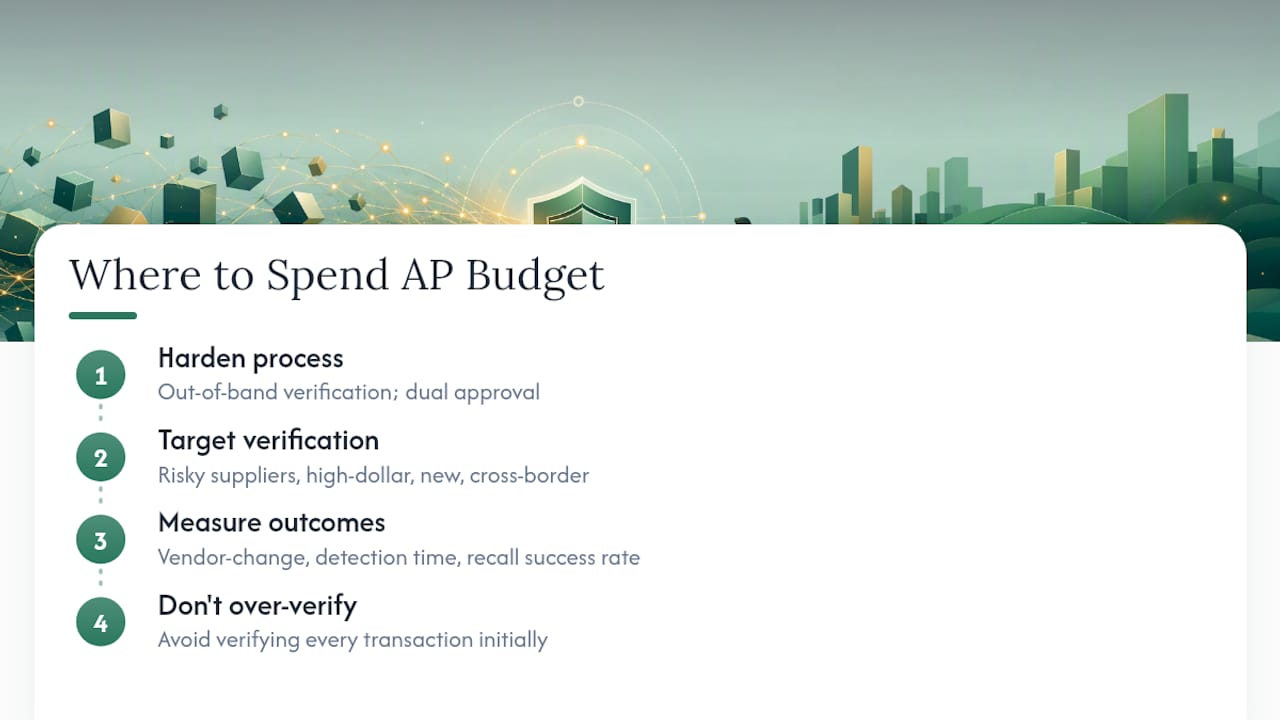
Process hardening comes before tooling, every time. Get out-of-band verification and dual approval locked in first, because those two controls stop the majority of BEC attempts at close to zero marginal cost. Once that foundation holds, aim verification tools at your riskiest suppliers, high-dollar accounts, new vendors, cross-border payees, rather than trying to verify every transaction on day one.
Track three numbers: vendor-change incidents flagged per quarter, average time to detection, and recall success rate on anything that does slip through. Those three tell you more about whether your controls actually work than any awareness-training completion rate.
— David
A Practical Next Step for Verifying Payees Before You Pay
Every control in this guide works better with one added layer: confirming, in real time, that the name on a payment actually matches the account it's going to. Instead of trusting a callback alone or hoping your cooling-off period catches everything, you can check a name against an IBAN instantly before funds move.
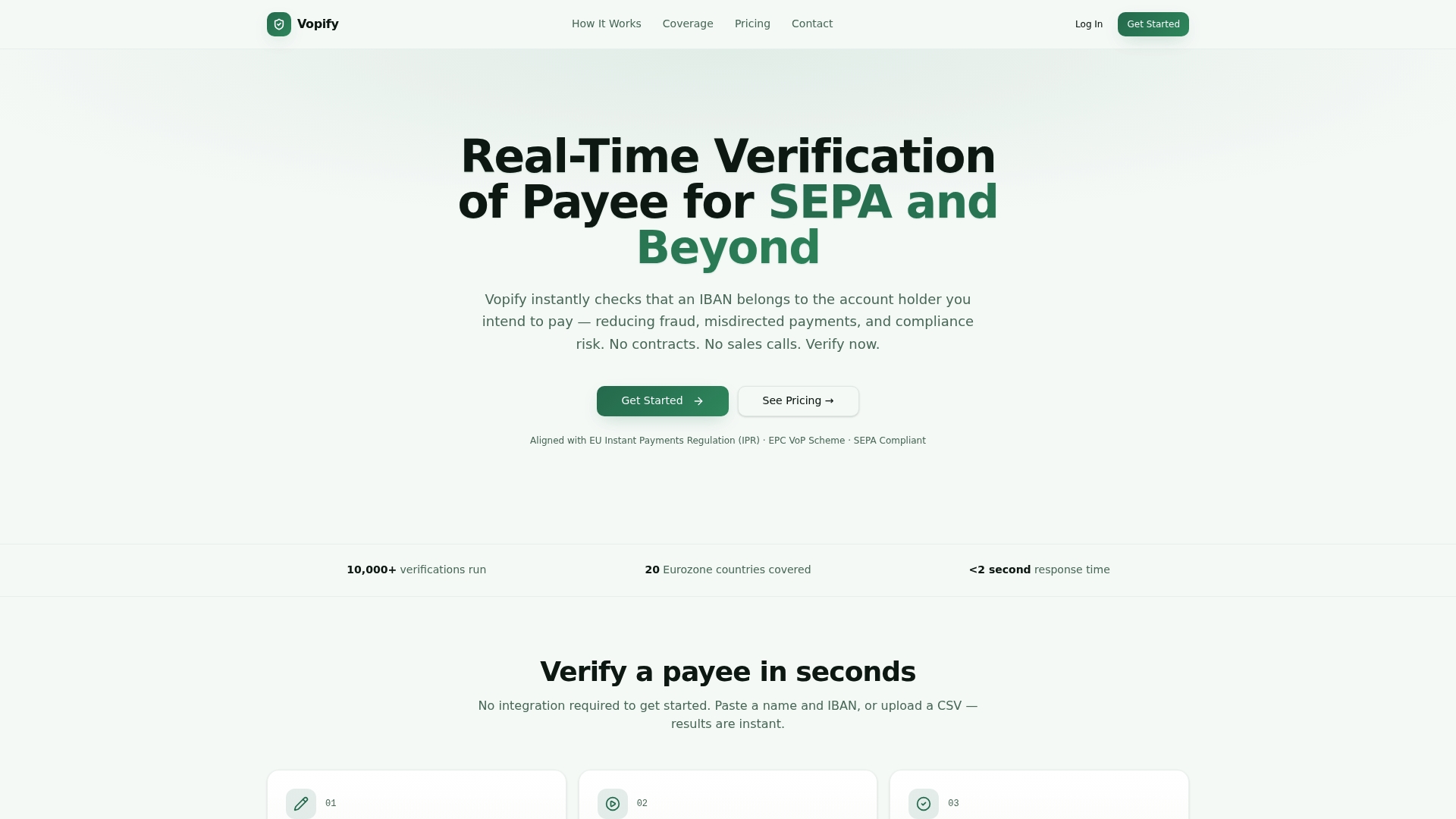
That speed matters most in the situations this article flagged as highest risk: a vendor who's just changed banking details, a high-value payment going out for the first time, or a bulk vendor list you're vetting after onboarding a new supplier batch. Some verification services support both single checks and bulk CSV uploads, covering multiple countries including SEPA countries as well as India, Indonesia, South Korea, and China through popular payment networks, so cross-border payment flows get the same scrutiny as domestic ones.
If your AP team handles frequent vendor changes or high-value cross-border transfers, start by running your riskiest supplier list through Vopify's verification of payee service and see how a confirmed name-to-IBAN match fits into the approval step you already have. You can also review IBAN verification details or head straight to Vopify to check a single payment before it goes out the door.
Sources
- Business Email Compromise
- 2025 IC3 Annual Report
- Business Email Compromise (Secret Service)
- Business Email Compromise: Recognize a Scam | U.S. Bank