
Name normalization in payments means real-time payee name verification: confirming that the name on a payment matches the actual holder of the IBAN before money moves. The action is simple. Run a Verification of Payee (VoP)style check on every payment before authorization, and let the result decide what happens next.
- Match: the name and IBAN line up. Proceed.
- Close match: minor discrepancy (a typo, a missing middle name). Review before approving.
- No match: the name does not belong to that account. Stop and re-verify with the supplier.
- Cannot verify: the bank or network couldn't return a result. Fall back to manual checks.
A tool like Vopify runs this check directly against live payment networks, returning a result in under two seconds across its supported countries. That's the entire workflow. Everything below explains why it works and how to build it into your payment process without slowing your team down.
Key Takeaways
Name normalization in payments works because it catches a mismatched payee before the money leaves your account, not after.
| Point | Details |
|---|---|
| Run checks pre-authorization | Verify name against IBAN before a payment is approved, never after it's sent. |
| Know your four outcomes | Match means proceed; No match means stop; Close match and Cannot verify both require manual review. |
| Log everything | Store the result, timestamp, and what the approver saw for every payment checked. |
| Build a triage procedure | Assign exception ownership, set hold windows, and escalate by risk pattern, not payment size. |
| Vopify handles the check | Vopify verifies name and IBAN pairs in under two seconds across multiple Eurozone countries, plus India, Indonesia, South Korea, and China. |
This article is general information, not a substitute for advice from a qualified financial advisor. Consult a qualified financial professional about your own circumstances before acting on anything here.
Table of Contents
- What Is Name Normalization in Payments and How Does It Work?
- Where Should Verification Sit in the Payment Workflow?
- How Do You Handle a No Match or Cannot Verify Result?
- Which Implementation Option Fits Your Team?
- What Do You Do When Verification Can't Confirm a Payee?
- What Should You Measure to Justify Verification?
- Vopify: Instant Payee Verification Built for AP Teams
- Sources
What Is Name Normalization in Payments and How Does It Work?
Name normalization in payments is the process of checking that the account holder name a supplier or employee gives you actually matches the bank account behind the IBAN. It is not the same as spell-checking a vendor record. An IBAN can be structurally valid, pass its checksum, and still belong to a completely different person or company than the one you intended to pay. Only a name-to-account matching check closes that gap.
Under the EU's Instant Payments Regulation, banks handling SEPA credit transfers are now required to run this kind of check and return one of four results: Match, Close match, No match, or Cannot verify.
Statistic Callout: VoP checks are designed to return a result in seconds, not minutes, and the outcome must be shown to the payer before they confirm the transfer, according to Fintech Passport's analysis of the regulation.
Close matches are the ones that trip up AP teams most often. Common causes include:
- Missing accented characters or diacritics (José vs. Jose)
- Legal entity name versus trading name (Smith Consulting LLC vs. Smith Consulting)
- Name order differences, especially with international suppliers (Lee Wong vs. Wong Lee)
- Abbreviations or missing middle initials
None of these automatically mean fraud. They mean someone on your team needs thirty seconds to look before the payment clears.
Where Should Verification Sit in the Payment Workflow?
The check has to happen before authorization, not after. Once a payment is authorized and sent, you're chasing a recovery instead of preventing a mistake. And under VoP rules, the display of the result before confirmation is what determines who carries the liability if the payment still goes to the wrong account.
There are three practical ways to wire this into an existing setup:
- ERP or TMS plugin: verification runs automatically whenever a new payee record is created or edited, catching bad data at the source.
- Inline lookup on the payment screen: the approver sees the name plus IBAN, and the result populates in real time as they review the transaction. This is the setup recommended for real-time bank account verification in AP teams.
- Batch pre-checks: a scheduled job verifies all pending payees the night before a payment run, so approvers see flags before they ever open the approval queue.
Running verification as a background pre-check, rather than only at the moment of payment, catches most naming errors before they ever reach an approver's desk, which cuts down on last-minute holds and the fatigue that comes with reviewing flagged payments under deadline pressure.
Whichever integration point you choose, log three things every time: the result returned (Match, Close match, No match, Cannot verify), the timestamp of the check, and exactly what was shown to the approver at the moment they clicked confirm. That log is your evidence if a payment is ever disputed, and it's the record regulators and auditors will ask for first.

Pro Tip: Don't just log the final result. Log the raw name string that was submitted for verification. If a supplier's name changes format between systems, that raw string is what tells you where the mismatch originated.
How Do You Handle a No Match or Cannot Verify Result?
Every AP team needs a written triage procedure for the moment a check comes back anything other than Match. Improvising in the moment is how urgent payments get rushed through anyway.
- Assign ownership immediately. One person or role (usually a senior AP specialist) owns every exception. Don't let it float between whoever happens to see it first.
- Set a hold window. A No match result puts the payment on hold for a fixed period, typically 24 to 48 hours, while the supplier is contacted.
- Escalate by risk, not by size. A $500 recurring payment to a known vendor with a No match result is often more suspicious than a $50,000 one-off to a new supplier still building a track record. Escalate to treasury or compliance based on pattern, not dollar amount alone.
- Collect evidence before releasing the hold. Ask the supplier directly, through a verified channel, not the invoice email, for confirmation.
Evidence worth requesting includes:
- A bank letter or statement showing the account holder name
- Micro-deposit confirmation, where the supplier confirms two small test amounts
- A callback to a phone number sourced independently, never one listed on the disputed invoice
Once resolved, update the vendor master record immediately with the verified name exactly as the bank holds it. This is where a lot of AP teams lose the benefit of verification: they fix the one payment, then let the same bad name string sit in the system to cause the identical exception three months later. A clean vendor validation process treats the master record update as part of closing the exception, not an optional follow-up.
Which Implementation Option Fits Your Team?
You don't have to build a full API integration on day one. There are three realistic entry points, and most finance teams end up using more than one.
- Instant API checks work best for in-line verification on individual payments as they're entered. Latency is lowest, coverage is broadest, but it requires development time to integrate into your ERP or payment screen.
- Bulk CSV verification is the right tool for onboarding new suppliers or cleaning up an existing vendor master in one pass. It costs less per check and doesn't require any integration work, but results come back as a batch rather than instantly.
- Dashboard checks let a small AP team paste in a name and IBAN and get an answer in seconds, no setup required. It's the fastest way to start, though it doesn't scale well past a handful of payments a day.
The trade-offs that matter most: which payment networks and countries the tool actually covers, how supplier data is handled once it's submitted, and whether pricing is pay-as-you-go credits or a flat subscription.
Pro Tip: Start with a bulk CSV check on your entire existing vendor master before you touch a single new integration. You'll find your worst data problems in accounts you've been paying for years, not the new ones you're about to onboard.
What Do You Do When Verification Can't Confirm a Payee?
A Cannot verify result isn't a red flag on its own. It usually means the receiving bank doesn't participate in the verification network, or there's a temporary technical failure on their side. Either way, you need a fallback, because "wait indefinitely" isn't an option for payments with deadlines.
- Micro-deposits are slow (usually one to two business days) but close to definitive: the supplier confirms two small amounts only they could see, which proves account access.
- Document evidence works faster. A bank letter or recent statement showing the account holder name, cross-checked against your existing supplier record, is enough for most routine cases.
- Escalation for urgent payments should never mean skipping verification entirely. Get manual sign-off from a second approver and document why the payment proceeded without a clean Match.
A layered approach, structural IBAN checks first, then name matching, then document checks, then micro-deposits as a last resort, is the standard sequence for verifying international supplier payments, and it holds up whether you're paying a domestic vendor or one three time zones away.
What Should You Measure to Justify Verification?
Four numbers tell you whether verification is earning its place: verification coverage (percentage of payments checked before release), exception rate (how often you get Close match, No match, or Cannot verify), average time to resolve an exception, and payment recoveries avoided.
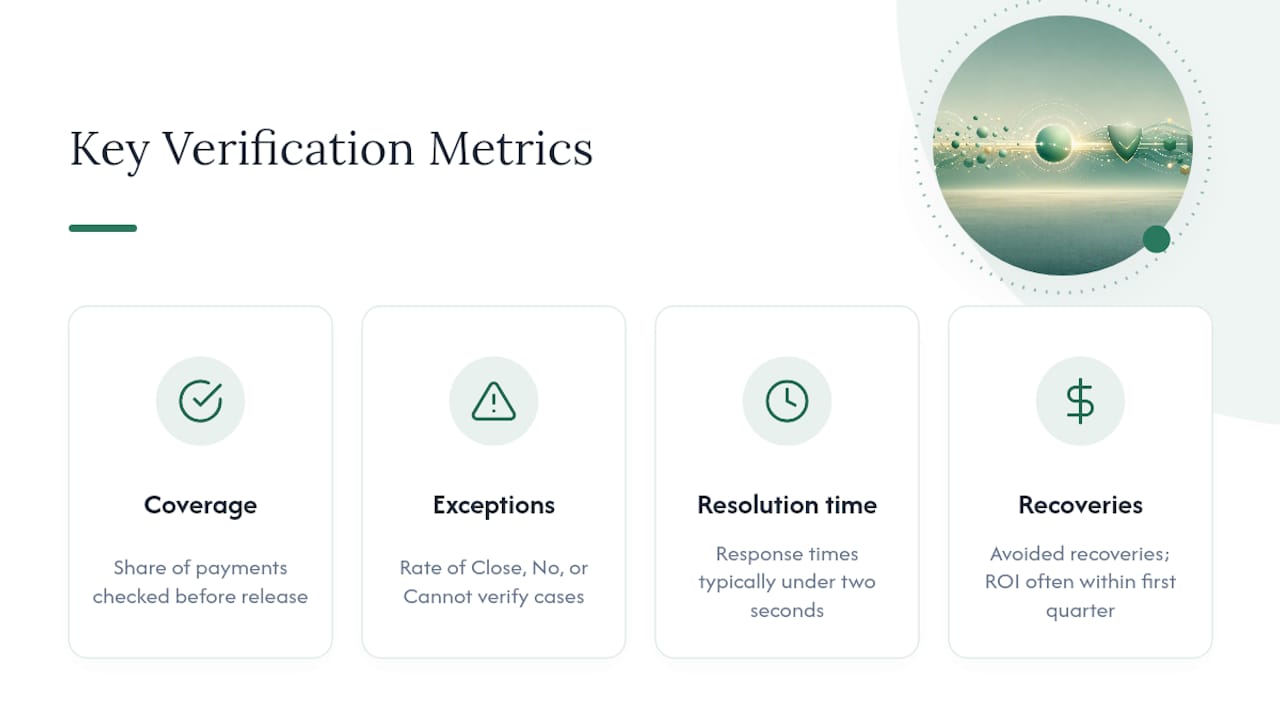
Statistic Callout: Vopify has processed verifications across multiple Eurozone countries with response times typically under two seconds per check, a useful benchmark for what "real-time" should mean in your own metrics.
ROI is straightforward from there: multiply your average recovery cost (the staff time plus banking fees to claw back a misdirected payment) by the number of exceptions verification caught before authorization, as explained in this payment processing in plumbing software guide. Most teams find the math works in their favor within the first quarter.
Vopify: Instant Payee Verification Built for AP Teams
Everything described above, the Match/Close match/No match/Cannot verify logic, the pre-authorization check, the fallback ladder, is what Vopify runs behind the scenes every time you submit a name and IBAN.
You get instant single checks for one-off payments, bulk CSV upload for cleaning up your entire vendor master in one pass, and a dashboard your AP team can use without waiting on a developer. Coverage spans SEPA countries across the Eurozone, plus India, Indonesia, South Korea, and China through Alipay, all built to align with the EU Instant Payments Regulation and comparable regional rules. Pricing runs on pay-as-you-go credits or a subscription, depending on your volume, and API access is coming for teams that want verification triggered automatically from their own systems. If your vendor master hasn't been checked in a while, start with a bulk verification pass and see how many exceptions turn up. For payments going out today, the Verification of Payee product gives you a Match or No match answer before you hit send.
A staged rollout beats a big-bang launch
Don't try to verify every payment on day one. Start with a bulk cleanup of your existing vendor master. That surfaces years of accumulated bad data without touching a live payment. Once that's clean, add inline checks for your highest-risk payment categories first, new suppliers and wire transfers, before rolling it out everywhere. Track your exception rate from week one. If it's not dropping, your governance process needs fixing before your tooling does.
— David
Sources
- Verification of Payee:
- Verification of Payee under the Instant Payments Regulation — Fintech Passport
- How to verify international supplier payment details (2026)